Three numbers. XY and Z look innocent until you trace a placement failure backwards: the CAD origin doesn’t match the Gerber origin, the machine origin doesn’t match either, and your “rotation” is defined in a different frame than the one your operator thinks they’re using.
So what’s actually happening?
Most SMT lines run on a stack of coordinate frames that barely agree with each other. Machine base frame. Gantry frame. Camera frame. Nozzle frame. PCB frame. Panel frame. Component package frame. And then, sitting quietly between all of them, the conversion math that either makes your line look like magic… or makes it look like you hired gremlins.
The hard truth: “placement accuracy” is a marketing number until your coordinate map is sane
Short sentence. If your coordinate transforms are sloppy, no spec sheet saves you, because the system will place precisely in the wrong location, all day, at full CPH, and your AOI will politely label it “misplaced” like it’s a mystery.
Want the uncomfortable context? Automation is accelerating, not slowing. The International Federation of Robotics said the installed base of industrial robots hit 4,281,585 units operating in factories worldwide (reported in its World Robotics 2024 release), up 10%. That’s more moving axes, more coordinate registrations, and more opportunities for silent drift. IFR press release (Sep 24, 2024). (IFR International Federation of Robotics)
And density is rising where the supply chain pressure is hottest. Reuters reported IFR’s 2023 robot-density numbers: China 470 robots per 10,000 employees vs Germany 429, with South Korea at 1,012. Translation: the competitive edge increasingly comes from how well you control motion and measurement, not how loud your sales deck is. Reuters (Nov 20, 2024). (Reuters)
XYZR isn’t “just axes.” It’s a contract.
Three words. A coordinate system is a contract: what “positive X” means, what “zero” means, what rotation direction means, and what happens when the board is not where you thought it was.
Here’s the frame stack you actually fight in pick-and-place:
- Machine (global) frame: The machine’s internal “truth.” Often the base or conveyor reference.
- Board / PCB frame: The program’s intent. Usually derived from CAD/Gerber data plus offsets.
- Vision / camera frame: Pixels → millimeters mapping, lens distortion, lighting artifacts.
- Nozzle / head frame: The moving end-effector; includes nozzle runout and theta axis behavior.
- Feeder / component frame: Pocket pitch error, pickup point offset, component orientation at pickup.
And the killer detail: each transform has assumptions (units, handedness, rotation sign, scaling). Get one wrong and your “calibration” becomes a ritual.
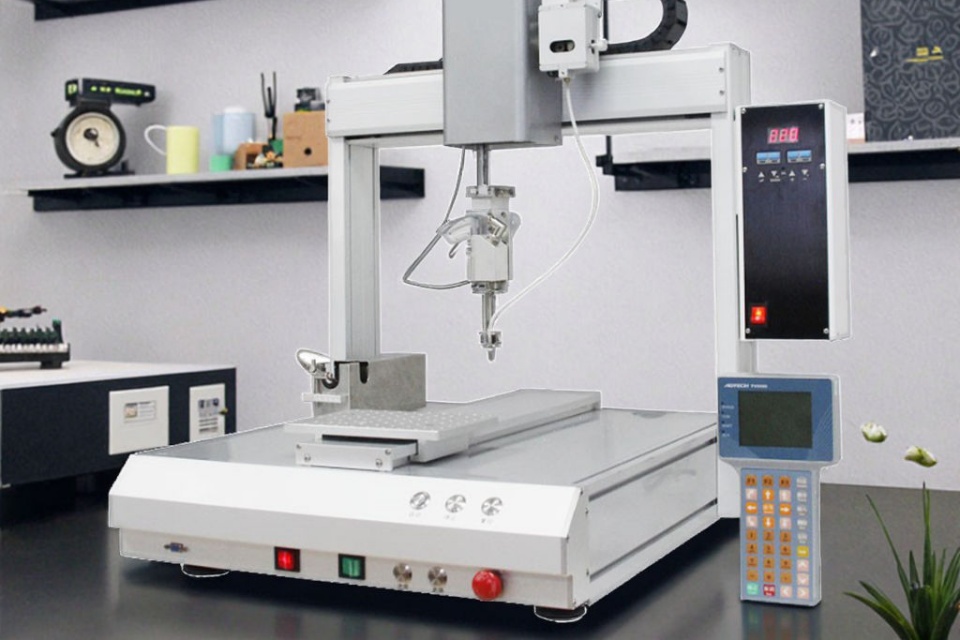
XY: the easiest axis to misunderstand because it looks flat
XY seems simple. But XY is where 80% of your dumbest errors hide: swapped axes, mirrored panels, wrong origin, wrong side, or the classic “we fixed it by adding an offset” that breaks the next job.
Two common “silent killers”:
- Origin mismatch (CAD vs Gerber vs machine): CAD can be center-origin, Gerber can be lower-left, CAM export can be panelized with a different datum, and your machine program can inherit whichever file your programmer trusted last Tuesday.
- Rotation convention mismatch (theta sign): Some systems define positive rotation clockwise in screen coordinates; others define it counterclockwise in a right-handed machine frame. Your operator may rotate the part “correctly” and still be wrong by sign.
Rhetorical question: how many times have you “fixed” a consistent 90° error by changing the component rotation, instead of admitting the coordinate frames were never aligned?
Z: the axis that turns a placement problem into a reliability problem
Z is not cosmetic. Z errors don’t just misplace parts. They bend leads, crack MLCCs, smear paste, and raise your defect risk downstream where debugging costs real money and time.
If you want proof that “defects are costly” isn’t a slogan, look at research that treats defect rates as a measurable manufacturing outcome. A 2024 paper on predicting PCBA defect rates points out how disruptive and expensive defects are even when rates are low. ScienceDirect (2024). (科学直达)
Z interacts with:
- Board warp (especially large panels, thin laminates, or uneven support pins)
- Solder paste height variation (stencil wear, squeegee pressure, paste rheology)
- Component height tolerances and package bow
- Nozzle tip condition and vacuum stability
And yes, solder chemistry shows up here. If you’re running SAC305 (Sn96.5/Ag3.0/Cu0.5), your process window still won’t forgive you for a bad Z-height map.
Theta (rotation): the axis that exposes who actually owns the process
Rotation is political. Because when rotation goes wrong, everyone blames everyone else: feeders, vision, nozzles, software, “operator error,” moon phases.
Let’s pin it down.
Theta errors usually come from:
- Angle recognition failure (bad lighting, low-contrast packages, reflective terminations)
- Pickup orientation variability (tape pocket slop, cover tape tension, feeder wear)
- Nozzle rotational backlash / calibration drift
- Wrong definition of “0°” for the package in the library vs the CAD rotation
If you want a baseline for how tight modern machines can be when the coordinate chain is healthy, read the vendor specs as a sanity check:
- Yamaha’s YRM20 spec lists mounting accuracy (high-accuracy mode) at ±0.025 mm (Cpk ≥ 1.0) under optimum conditions. Yamaha YRM20 specs. (Yamaha Motor Global Site)
- Panasonic’s NPM-WX page cites ±25 μm placement accuracy (context: configured head options and conditions). Panasonic NPM-WX. (Panasonic Connect)
- ASMPT’s SIPLACE CA2 lists accuracy classes down to 10 μm @ 3 sigma (under defined conditions and configurations). ASMPT SIPLACE CA2. (smt.asmpt.com)
Those numbers are not your reality by default. They’re what you get after you stop lying to yourself about coordinate systems.
Fiducials: the bridge between PCB coordinate system vs machine coordinate system
Two marks. Two global fiducials usually correct translation + rotation. Add a third and you can estimate skew/scale (depending on the machine’s model), which matters more than people admit on big panels or when panelization introduces slight distortion.
Here’s what fiducials really do: they let the machine solve a transformation from PCB frame → machine frame using measured mark positions. That’s straight robotics.
NIST doesn’t write SMT programming manuals, but their robotics measurement work spells out the same underlying issue: you must acquire and register coordinate transformations to control motion reliably. The 2023 NIST Technical Note on coordinate system transformations and registrations is the same math family you’re using when your mounter “finds fiducials.” NIST TN 2258 (July 2023). (nvlpubs.nist.gov)
So if your fiducial routine is sloppy, you aren’t “a little off.” You’re building on a bad map.
The table people wish they had before the night shift
| Coordinate layer | What it “means” | Typical failure pattern | What fixes it (not the superstition) |
|---|---|---|---|
| PCB origin (CAD/Gerber) | The design’s 0,0 and rotation | Whole job shifted, mirrored, or 90° off | Reconcile CAD → CAM → program datum; lock one standard |
| Panel array offsets | Step-and-repeat geometry | One board in panel is fine, others drift | Verify array pitch, rotation, and panel origin; don’t hand-edit offsets |
| Fiducial transform | Measured PCB → machine mapping | First placements OK, later parts drift across board | Use proper fiducials, clean marks, stable lighting; confirm transform model |
| Camera calibration | Pixels → mm; lens distortion | Angle recognition “random,” tiny parts rotate wrong | Calibrate camera grid, correct distortion, maintain lighting consistency |
| Nozzle/theta calibration | Head mechanics and rotation zero | Same package type always rotated by a constant | Re-zero theta, check backlash, verify library rotation conventions |
| Z-height map | Board height across placement area | Cracked MLCCs, tombstones, intermittent opens | Re-map Z, improve support, verify paste height control |
What “calibrate pick and place coordinates” should mean (and what it usually means)
Calibrate like an adult. That means you treat the system as measurement + motion, not as “we nudged it until AOI stopped screaming.”
A real calibration loop looks like this:
- Lock the data chain: one source of truth for CAD/Gerber export rules, panelization, and rotation conventions.
- Verify fiducial quality: mark size, contrast, soldermask clearance, cleanliness, lighting.
- Calibrate camera mapping: correct lens distortion; validate pixel-to-mm across the field, not just center.
- Validate theta: place a known rotation test pattern, measure angular error distribution, and correct sign/zero problems at the library level.
- Validate Z under load: measure board warp with your actual support tooling; don’t trust “flat board” fantasies.
- Close the loop with evidence: AOI/SPI data trends, not vibes.
If you want this to stop being tribal knowledge, build it into training. That’s why I always push factories toward documented ramp-up and retraining, not just “one guru programmer.” If you’re serious, start with training and after-sales support and make it part of the process, not a rescue mission.
FAQs
What is a pick and place coordinate system?
A pick and place coordinate system is the machine’s structured way of defining position and rotation for placement, mapping PCB locations (X, Y), placement height (Z), and component angle (theta) across multiple reference frames (PCB, camera, nozzle, and machine base) so motion commands land on the intended pads, not “nearby.”
What does XYZR mean in pick-and-place machines?
XYZR (often written XYZT or XY + theta) describes the core motion parameters a mounter uses: X and Y for planar position on the PCB, Z for vertical placement height, and R/theta for rotational angle of the component about the Z-axis, enabling correct orientation for polarized and asymmetric packages.
How does pick and place rotation (theta) actually work?
Pick and place rotation works by rotating the nozzle or placement head to align the component’s recognized orientation to the program’s target angle, using vision-based angle detection and a calibrated theta axis so the placed part matches pad geometry, polarity marks, and component library conventions.
What’s the difference between PCB coordinates and machine coordinates?
PCB coordinates describe where pads and components live in the board’s own design frame, while machine coordinates describe where the gantry and head physically are relative to the conveyor/base; the mounter uses fiducials and transformations to convert PCB positions into machine motion commands that account for board shift and rotation.
How do fiducials enable coordinate transformation?
Fiducials enable coordinate transformation by giving the machine known reference points on the PCB, which it measures with vision to compute the translation and rotation (and sometimes skew/scale) that maps the program’s board coordinates into the machine’s coordinate frame, compensating for real-world loading variation.
What are the best practices for pick and place axis calibration?
Best practices for pick and place axis calibration are to standardize data origins and rotation conventions, keep fiducials clean and high-contrast, routinely calibrate camera distortion and pixel-to-mm mapping, verify theta zero/sign at the library level, and maintain a Z-height map based on real board warp and tooling support—not assumptions.
Conclusion
If your line keeps “mysteriously” drifting, I’d bet money it’s not mysterious. It’s a broken contract between frames.
If you want a structured fix, start with two practical assets: browse customer case studies from real factories to see what failure patterns look like in the wild, then download the pick-and-place catalog to compare platforms and capabilities without hand-waving.
And if you want help diagnosing a specific XYZR/theta issue on your line, use the direct channel: contact our SMT team. For expectations on response and support scope, read our service promise.