I’ve watched a line “run fine” on paper while the floor screamed. Two operators called out. One feeder cart got mis-kitted. The placement program needed a tweak. And suddenly your “high CPH” machine turned into a very expensive table.
That’s the hard truth about automation for labor shortages: you’re not buying speed. You’re buying stability when the workforce shortages show up at 7:05 a.m. and your shipment still leaves at 5:00 p.m.
So let’s compare the features people love to argue about—speed, accuracy, component range—but in the only way that matters: how many boards per hour you can ship per human on shift.
And yes, I’m going to be blunt. Most comparisons are marketing.
Speed: CPH is a number; output is a system
Fast. Then slow.
Machine brochures love “CPH” because it’s clean. Your factory isn’t. Real throughput gets eaten by feeder loading, nozzle swaps, vision time, board handling, mis-picks, and the awkward moment when one weird connector forces a slower head mode.
If you want a speed comparison that doesn’t embarrass you later, ask these questions:
- Rated CPH vs. “your-product CPH”: What happens on your BOM and your panel size?
- Changeover time: How long to go from Job A to Job B with one tech and a cart?
- Feeder strategy: How many feeders can stay loaded while you run the next job?
- Programming time: How long before a new part number stops causing line stops?
Also, don’t ignore standardized testing language. IPC’s throughput tests (IPC-9850A) are meant as an initial comparison, not a promise of your production output, and the standard itself warns users to validate with actual product. That warning is there for a reason. (electronics.org)
If your goal is “labor shortage solutions,” speed is less about peak CPH and more about how little babysitting the line needs.
Want a practical rule? If a machine is “fast” but demands constant micro-fixes, it raises your labor burden.
Accuracy: rework is the silent headcount killer
Here’s what I see too often: a buyer compares accuracy specs, picks the tightest number, and then acts shocked when rework hours explode anyway.
Because accuracy on a datasheet isn’t the same as accuracy on a warped board with mixed finishes, aging nozzles, and marginal fiducials.
When you compare accuracy, separate these buckets:
- Placement accuracy (how close it lands to target, typically stated in µm, often under defined test conditions)
- Repeatability (how consistent it is shot-to-shot)
- Vision + alignment (fiducial strategy, camera speed, component recognition, and how forgiving it is when reality gets messy)
- Process discipline (maintenance, calibration habits, nozzle wear tracking)
If you’re short-staffed, accuracy matters because rework steals your best people first. The senior tech doesn’t get pulled into “fun” projects. They get stuck fixing tombstones, skewed QFNs, and BGA misalignments at the worst possible time.
I’ll say it plainly: if a vendor can’t explain how they measured accuracy (and what changes when you switch component classes), you’re not buying accuracy—you’re buying hope.
Component range: “supports 01005” is not the same as “runs your BOM”
This one tricks smart people.
Most modern machines can touch tiny passives like 0201/01005 in the right setup. The question is whether they can do it reliably, at speed, with your paste process, and without a picky operator doing rituals all day.
Component range is really four different questions:
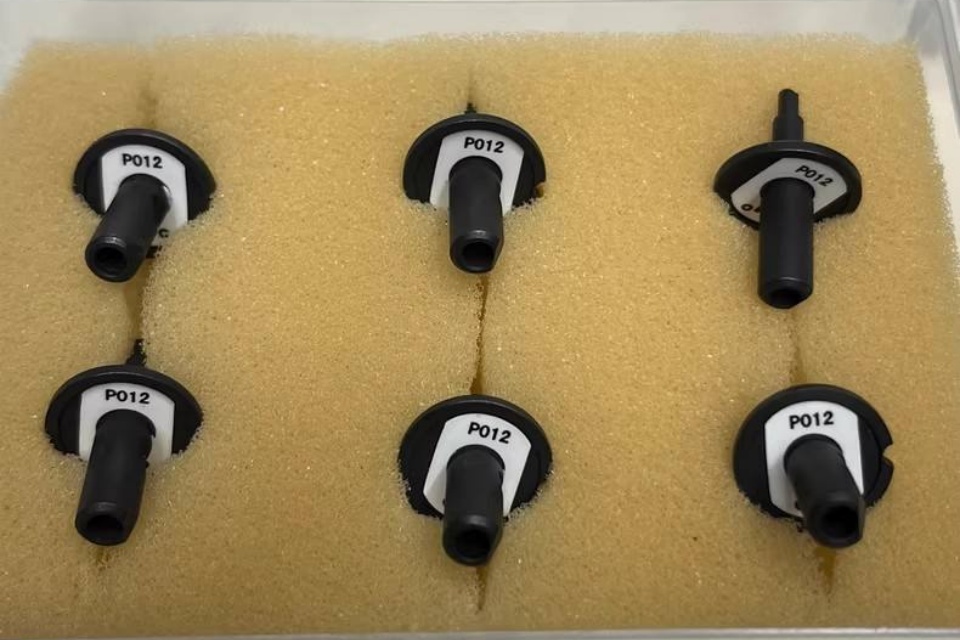
- Smallest parts you can place consistently (and what nozzle/vision mode it forces)
- Largest and tallest parts (connectors, shields, odd-form-ish “almost SMT” parts)
- Packaging formats you actually use (tape, tray, tube/stick, bulk)
- Feeder ecosystem maturity (availability, cost, and how often feeders cause downtime)
Labor market trends push more factories into high-mix work, not less. That means component range and changeover discipline decide whether automation saves labor—or just shifts labor into setup chaos.
If you’re trying to use robotics to fill labor gaps, “component range” is where wins and losses hide.
The labor shortage angle (with receipts)
Manufacturers keep treating workforce shortages like a temporary cold. It’s more like chronic pain.
Deloitte’s April 2024 analysis estimates a net need of about 3.8 million new manufacturing employees in the U.S. from 2024–2033, with around half (1.9 million) potentially going unfilled if the talent and applicant gaps persist. (Deloitte United Kingdom)
Meanwhile, industrial automation keeps rising. The International Federation of Robotics reported 553,052 industrial robot installations globally in 2022 (up 5% year-on-year), with Asia taking the majority share of new installs. (IFR International Federation of Robotics)
And robot intensity is shifting fast. A 2024 Reuters report highlights China’s robot density rank moving ahead of Germany and Japan (per IFR data), which is what “AI workforce automation” looks like when it hits national scale. (Reuters)
So yes—automation helps with manufacturing labor shortage pressure. But only if you compare machines like an operator, not like a brochure.
What to ask for when you compare machines
Use this table in your next vendor call. It keeps the conversation honest.
| Feature | What to compare (real-world) | What vendors love to show | What it means for labor shortages | Red flags |
|---|---|---|---|---|
| Speed | Changeover time + effective CPH on your BOM | Peak CPH on ideal patterns | Fewer operators per line when jobs switch often | “Our machine is the fastest” with no job-mix proof |
| Accuracy | Process stability across component classes | One tight µm number | Less rework, fewer senior tech hours wasted | No clarity on test method or board conditions |
| Component range | Your smallest + your most annoying parts | “Supports 01005 to BGA” | Less manual placement, fewer exceptions | Range claimed, but feeders/nozzles/vision are “optional” |
| Feeders & kitting | Feeder reliability + kitting workflow | Feeder count | Less stoppage, less chasing missing parts | Feeder lead times, high failure rates, or weak support |
| Programming & support | Learning curve + response time | “Easy software” claims | One engineer can support more lines | Training treated like an add-on |
| Maintenance | PM intervals + parts availability | “Low maintenance” | Less downtime when staffing is thin | Spare parts are slow, expensive, or vague |
If you want to benchmark your options quickly, start with line type first, then machine choice: a system tuned for prototype and small-batch SMT lines behaves very differently than one built for high-speed mass production SMT lines.
And please don’t treat support like an afterthought. Understaffing turns small problems into week-long delays, so training and after-sales support isn’t “nice to have.” It’s staffing insurance.
If you’re comparing full line builds (printer + placement + reflow + inspection + handling), you’ll move faster by evaluating turnkey SMT line solutions as a connected system, not a shopping list.
FAQs
How does automation help with workforce shortages in SMT?
Automation helps with workforce shortages by shifting repetitive placement, inspection, and handling tasks from scarce operators to machines, so one technician can supervise more output per hour while the line holds process control, reduces rework loops, and stays stable during hiring gaps and absentee spikes. In practice, the win comes from fewer “hands-on” touches: fewer manual placements, fewer restarts, fewer emergency fixes. That’s the difference between surviving a thin shift and missing shipments.
What pick-and-place “speed” spec matters most when labor is tight?
The speed spec that matters most is your effective throughput on real jobs—placements per hour after changeovers, vision time, feeder behavior, and stoppages—because labor shortages punish variability, not peak performance, and the line only ships what it finishes with minimal supervision. Ask for run data on a job that looks like your BOM. If they can’t show it, treat the headline CPH as decoration.
What’s the difference between placement accuracy and repeatability?
Placement accuracy is how close each part lands to the target position on the PCB, while repeatability is how consistently the machine hits the same result across many placements; both matter because accuracy drives first-pass quality, and repeatability drives predictability when conditions shift across boards, parts, and time. If repeatability is weak, you’ll chase “random” defects that aren’t random at all.
What does “component range” really mean for a production line?
Component range means the practical set of parts your machine can place reliably—across your smallest passives, your tallest connectors, your odd packages, and your real feeder formats—without constant special handling, because a claimed range on a datasheet doesn’t guarantee stable yield, fast setups, or low operator dependency. The ugly surprises usually show up with trays, odd connectors, and tiny passives that need slower modes.
How do I compare machines for high-mix work versus high-speed lines?
Comparing machines for high-mix versus high-speed means weighting changeover time, feeder flexibility, and programming workflow higher for high-mix, while weighting sustained throughput and placement stability higher for high-speed, because the labor bottleneck shifts from “run speed” to “setup and recovery” when product variety increases. If you build lots of SKUs, a slightly slower machine that swaps jobs cleanly can beat a “faster” machine all month.
Conclusion
If you want, I’ll sanity-check your shortlist the same way I’d do it on my own factory floor: job mix, feeder plan, changeover flow, support risk, and the real staffing model behind it.
Start here:
- Contact our team with your BOM mix, target UPH, and shift staffing.
- Download the SMT equipment catalog and mark the machines you want compared side-by-side.
- If you’re leaning toward a full build, ask for a scoped proposal on turnkey SMT line solutions so the interfaces don’t become your next labor problem.